EMI Calculator
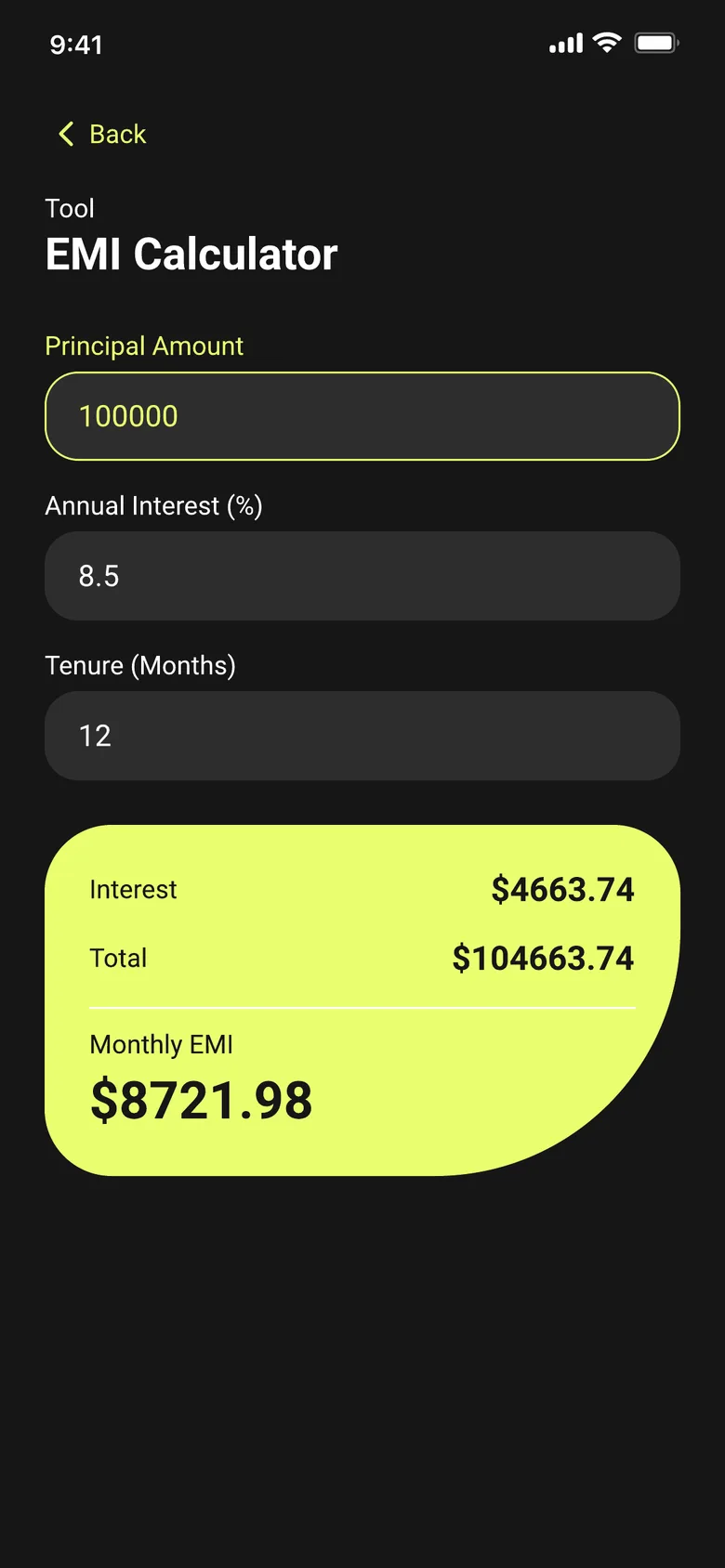
Enter a principal amount, annual interest rate and tenure in months to see your monthly EMI, total interest and total repayment.
What is EMI?
EMI stands for Equated Monthly Installment — the fixed monthly payment you make toward a loan until it's fully repaid. Every EMI payment covers a mix of two things: interest on the amount you still owe, and a portion of the original loan (the principal). Lenders use EMI so the repayment amount stays the same each month, making it easier to plan around.
What information EMI calculation needs
An EMI calculation needs three numbers: the principal (how much you're borrowing), the annual interest rate the lender charges, and the tenure — how many months you'll take to repay it. Change any one of these and the monthly EMI, total interest and total repayment all change with it.
How EMI is calculated
The standard EMI formula is:
EMI = P × r × (1 + r)n / ((1 + r)n − 1)
where P is the principal, r is the monthly interest rate (annual rate divided by 12, then divided by 100), and n is the number of monthly installments (the tenure in months). Total interest is the sum of all EMI payments minus the original principal; total repayment is the sum of all EMI payments.
How SmartCalc helps
SmartCalc's EMI Calculator runs this formula for you the moment you enter a principal amount, annual interest rate and tenure in months — no spreadsheet, no manual formula, and it works fully offline. You get the monthly EMI, total interest and total repayment on one screen, which makes it easy to compare two loan offers side by side before deciding.
What EMI Calculator in SmartCalc needs from you
You enter
- —Principal amount
- —Annual interest rate
- —Tenure in months
SmartCalc shows
- →Interest
- →Total
- →Monthly EMI